
Aaj ke time me ek sahi laptop choose karna thoda confusing ho sakta hai. Market me itne saare brands, processors, aur features hain ki samajh nahi aata ki kaun sa model aapke kaam ke liye perfect rahega.
Bohot se log ek hi sabse badi galti karte hain—ya toh wo zarurat se zyada mehnga laptop khareed lete hain, ya fir sasta laptop lene ke chakkar me aisa model le lete hain jo 6 mahine me hang hone lagta hai.
Is detailed buying guide me hum aapki isi problem ko solve karenge. Chahe aap ek student hon, office professional hon, ya business aur photo/video editing ke liye best laptops in India (2026) dhoond rahe hon, ye article aapko sahi decision lene me madad karega.
Quick Recommendation Summary
| Category | Recommended Model | Primary Highlight | Price Range |
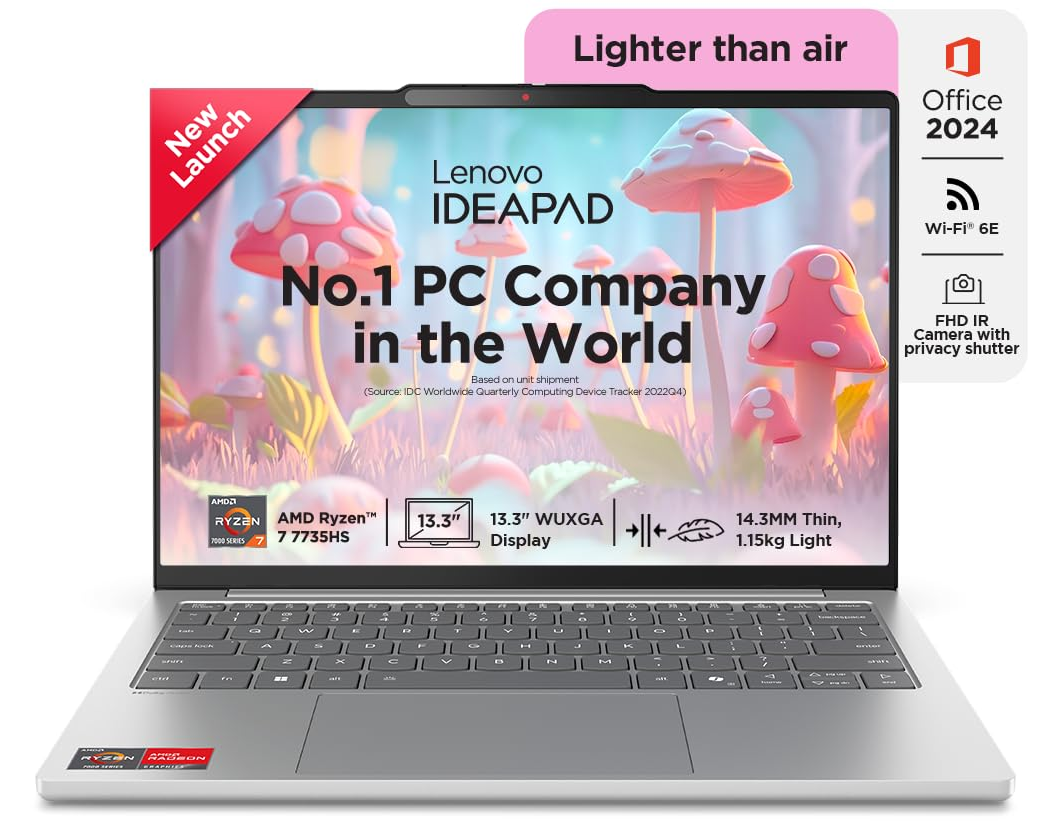
| Best Overall (Office & Home) | Lenovo IdeaPad Slim 5 | Intel Core i5 / Ryzen 7, 16GB RAM, All-rounder | ₹65,000 – ₹75,000 |
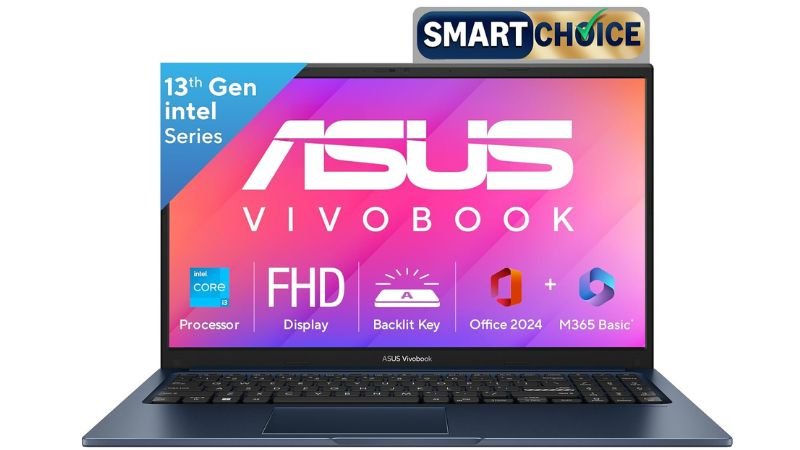
| Best for Students | ASUS Vivobook 15 | Lightweight, Great Keyboard, Value for Money | ₹38,000 – ₹45,000 |
| Best Premium Business Laptop | Apple MacBook Air (M2/M3) | Insane Battery Life, Silent Performance, Metal Build | ₹1,10,000 – ₹1,50,000 |
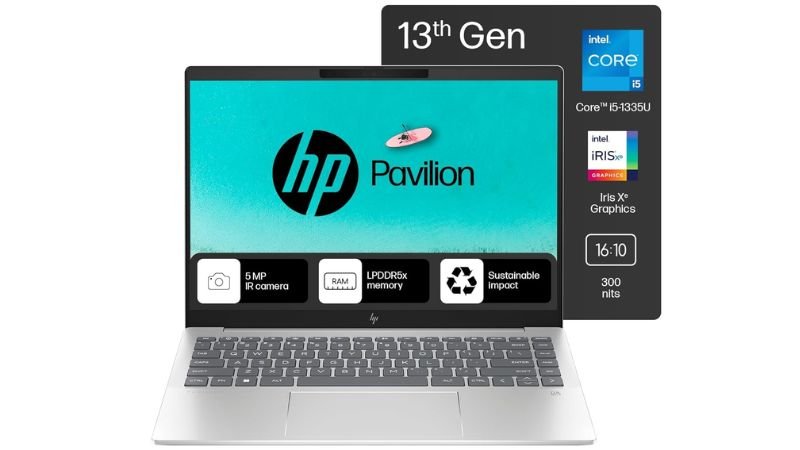
| Best for Office Work & Editing | HP Pavilion Plus 14 / Acer Swift Go | OLED Display, Dedicated GPU Options, High Speed | ₹65,000 – ₹75,000 |
Top 10 Laptop Brands in India (2026)
Laptops ki duniya me brand ka selection unke after-sales service aur reliability par depend karta hai. India me top 10 laptop brands in India ki list ye hai:
- Apple (Best for battery, build quality & premium performance)
- HP (Best for official network & customer support in India)
- Lenovo (Best keyboard quality & durable build)
- ASUS (Best innovation & value-for-money options)
- Dell (Highly durable for long-term corporate use)
- Acer (Best performance-to-price ratio in budget)
- MSI (Focused on high performance & heavy tasks)
- Samsung (Premium display & ecosystem integration)
- Xiaomi / Redmi (Budget-friendly mid-segment laptops)
- Infinix (Ultra-budget entry-level laptops)
Detailed Category Breakdown: Aapke Liye Kaun Sa Laptop Perfect Hai?
1. Best Laptops for Students & Daily Use
Agar aap student hain ya ghar ke normal tasks (online classes, browsing, movies, MS Office, documentation) ke liye laptop dhoond rahe hain, toh aapko which laptop is best for daily use ka answer yahan milega.
Top Pick: ASUS Vivobook 15
- Processor: Intel Core i3 (12th/13th Gen) / AMD Ryzen 5
- RAM & Storage: 8GB/16GB RAM | 512GB SSD
- Display: 15.6-inch Full HD
- Why Choose This: Ye laptop lightweight hai aur iska keyboard typing ke liye bohot comfortable hai. Student life ke assignments aur daily web surfing ke liye ye ek perfect budget choice hai.
Key Features & Performance
- Daily study task aur multiple browser tabs ko aasaani se handle karta hai.
- Fast SSD ki wajah se laptop 10-15 seconds me boot ho jata hai.
- Battery life lagbhag 5-6 ghante milti hai, jo classes ke liye sufficient hai.
2. Best Laptops for Work, Office & Business Use
Office work aur business users ke liye speed, durability, aur multitasking sabse zaroori hote hain. Agar aapko Excel sheet handling, Zoom calls, aur daily business operations manage karne hain, toh best laptops for work and office use aapke liye hain.
Top Pick: Lenovo IdeaPad Slim 5 / Dell Inspiron 15
- Processor: Intel Core i5 (13th Gen) / AMD Ryzen 7
- RAM & Storage: 16GB RAM | 512GB/1TB SSD
- Display: 14-inch or 15.6-inch IPS Anti-glare
- Why Choose This: Ye laptop ek ideal best business laptop 2026 hai kyunki iski build solid hai, keyboard par hours tak typing ki ja sakti hai, aur 16GB RAM se heavy multitasking me koi lag nahi aata.
Key Features & Performance
- Simultaneous Zoom calls aur heavy browser load me performance smooth rehti hai.
- Fingerprint sensor aur FHD webcam background noise cancellation ke saath aate hain.
- Backlit keyboard ki wajah se late-night office work aasaan hota hai.
3. Best Laptop for Office Work and Editing (Business + Heavy Tasks)
Agar aapka office work thoda heavy hai—jaise 4K Video Editing, Graphic Design (Photoshop, Illustrator), Data Analysis, ya Coding—toh aapko extra processing power aur achhe color-accurate display waale laptop ki zaroorat padegi.
Top Pick: HP Pavilion Plus 14 / Apple MacBook Air M2
- Processor: Intel Core i5/i7 H-Series OR Apple M2 Chip
- RAM & Storage: 16GB RAM | 512GB SSD
- Display: 2.8K OLED Display (HP) / Liquid Retina (Apple)
- Why Choose This: Ye best laptop for office work and editing ki category me sabse aage hai kyunki iska display 100% sRGB color accuracy deta hai, jo photo aur video editing ke liye zaroori hai.
Key Features & Performance
- Premier Pro aur Photoshop bina kisi frame drop ke chalte hain.
- MacBook Air M2 me silent fanless design ke saath 15+ ghante ki real-world battery life milti hai.
Laptop Buying Guide (2026): Khareedne Se Pehle Ye Baatein Dhyan Rakhein
Main aapko honestly recommend karunga ki naya laptop lene se pehle in basic technical points ko zaroor check karein:
1. Processor (CPU)
- Basic Use & Students: Intel Core i3 (12th/13th Gen) ya AMD Ryzen 3 / Ryzen 5.
- Office Work & Business: Intel Core i5 (12th/13th Gen) ya AMD Ryzen 5 / Ryzen 7.
- Heavy Editing & Coding: Intel Core i7 / Apple M2 or M3 Chip.
2. RAM (Random Access Memory)
- 8GB RAM: Minimum standard for budget users and students.
- 16GB RAM: Must-have in 2026 for office work, business, and multitasking.
3. Storage (SSD vs HDD)
- 2026 me kabhi bhi HDD (Hard Disk) waala laptop mat khareedein. Hamesha NVMe SSD waala laptop lein. Minimum 512GB SSD hona zaroori hai.
4. Battery Life & Portability
- Office travel aur student life ke liye laptop ka weight 1.4 kg se 1.7 kg ke beech hona chahiye taaki backpack me carry karna aasaan rahe.
Pros & Cons of Buying a Mid-Range Laptop in 2026
Advantages (Fayde)
- Fast SSDs aur modern processors ki wajah se long-term performance milti hai.
- Type-C charging support se mobile aur laptop ek hi charger se charge ho jate hain.
- Modern laptops ultra-thin aur lightweight hote hain.
Disadvantages (Nuksan)
- Thin design ki wajah se zyadatar modern laptops me RAM baad me upgrade nahi ho pati (Soldered RAM).
- Budget laptops me display brightness outdoor use ke liye thodi kam ho sakti hai.
Frequently Asked Questions (FAQs)
1. Which laptop is best for daily use in India?
Daily home use aur browsing ke liye ASUS Vivobook 15 ya HP 15s (Core i3 / Ryzen 5 with 8GB RAM and 512GB SSD) sabse best options hain.
2. Student life ke liye kitna RAM hona chahiye?
Students ke liye 8GB RAM sufficient hai, lekin agar aap coding ya graphic editing karte hain toh 16GB RAM waala variant lena better rahega.
3. Kya 2026 me Apple MacBook Air M2 khareedna sahi hai?
Ji haan, MacBook Air M2 2026 me bhi office work, business use, content creation, aur travel ke liye top-tier battery life aur speed offer karta hai.
4. Which laptop is best for office work and editing under ₹70,000?
₹70,000 ke andar HP Pavilion Plus 14 (OLED Screen) ya Acer Swift Go 14 best performance aur color-accurate display dete hain.
5. Kya office use ke liye dedicated graphics card (GPU) zaroori hai?
Normal office work (Excel, Word, Browsing, Zoom) ke liye integrated graphics (Intel Iris Xe / AMD Radeon) kafi hote hain. Graphics card ki zaroorat sirf 3D editing ya gaming ke liye hoti hai.
Final Verdict
Agar aapka budget limited hai aur aap student hain, toh ASUS Vivobook 15 aapke liye sabse value-for-money choice hai. Office work aur business operations ke liye Lenovo IdeaPad Slim 5 ek complete all-rounder laptop hai. Aur agar aapko premium battery backup aur heavy editing karni hai, toh Apple MacBook Air par invest karna sabse smart decision hoga.
- Best Overall: Lenovo IdeaPad Slim 5
- Best Budget for Students: ASUS Vivobook 15
- Best Premium Business Pick: Apple MacBook Air M2
Disclaimer: Is page par diye gaye products ke prices time ke sath change ho sakte hain. Isliye khareedne se pehle link par click karke latest price aur deals zaroor check kar lein.
Apne work profile ke hisab se upar diye gaye links par click karein, prices compare karein, aur aaj hi apna best deal select karein!